
















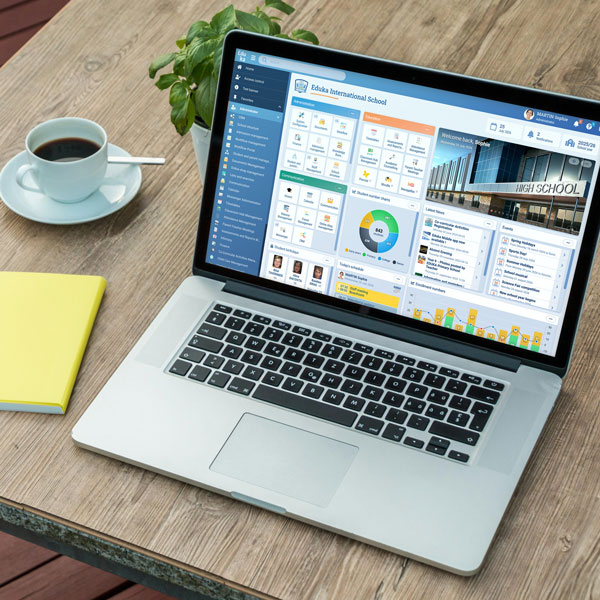










Eduka exports your school’s billing into MYOB Enterprise as ready-to-post general-ledger batches — balanced debit and credit entries, coded to the right cost centre for each campus, aligned to the Australian fiscal year.
Why connect Eduka and MYOB Enterprise?
MYOB Enterprise (MYOB Acumatica) serves larger, multi-site Australian organisations — the position of a school running several campuses on shared accounting. Re-entering each campus’s billing by hand doesn’t scale. Eduka’s MYOB Enterprise export produces consistent GL entries so every campus’s invoicing feeds one centralised ledger.
How does the integration work?
MYOB Enterprise is selected as the accounting format in Eduka’s Finance module. The accounting export screen then produces general-ledger import files over a date range you choose, as balanced debit/credit entries grouped into dated batches. Exported batches can be archived in Eduka to prevent any entry being posted twice.
What data is exported?
- General-ledger entries — module, batch number, transaction date, account, debit and credit amounts and a transaction description carrying the document number and school year.
- Cost-centre coding — every line resolves to its sub-account: the fee’s analytic account, the bank’s account for payments, or a per-grade analytic centre substituted in automatically — so a multi-campus group’s entries land in the right cost centre.
- Australian fiscal periods — each entry is stamped with the correct fiscal period, computed on the July-start Australian fiscal year.
Built for multi-campus schools
The MYOB Enterprise integration is part of Eduka’s Finance module, which manages the full billing cycle for schools: fee schedules, invoicing, payments, reminders and reporting. MYOB is one of many accounting packages Eduka exports to natively — alongside Xero, QuickBooks, Sage and others — so your school can keep its existing accounting setup.

 Australia
 Serbia
 Malaysia
  France
 Slovenia,
  Bulgaria,
  Belgium,
  Canada,
  Thailand