
































Manage the entire lifecycle of a school trip in Eduka, from the first project submitted by a teacher to closing the file after the return.

Campus ServicesOptional module

The School Trips Module handles the full chain of a trip or excursion: the educational project, internal approvals, the budget to keep, families to notify, authorizations to collect, chaperones to recruit, the roll call on the pavement on departure morning, absences to reflect and the invoice to issue. What used to live in spreadsheets, shared files and stacks of photocopies becomes a single, traceable workflow. The module serves four audiences at once, each with its own screen: administration (back office), teachers (dedicated portal), chaperones (mobile field portal) and families (family portal).

Key features of the School Trips Module

  • Configurable process of blocks and tasks: build the workflow for each trip, from a simple day out to an overseas stay, with approvals and completions run sequentially or in parallel, plus deadlines and trigger conditions.
  • Reusable categories and templates: classify your trips (day, overnight, custom types) and start from a template or an existing trip instead of re-entering everything each year.
  • Family requests: each request carries a decision (approve or decline, with a reason) and/or a form, along with a closing date and automatic reminders.
  • Unified budget and planning: a single grid for the itinerary and the budget, with planned vs actual tracking, billed price, margin and supplier follow-up.
  • Information packs: extract from a task exactly the participant data to be handed to a third party (carrier, accommodation, chaperone), with no re-keying and full traceability.
  • Dedicated portals: a teacher portal to create and follow trips, a mobile field portal for roll calls and student sheets, and a family portal to authorize and follow the trip.
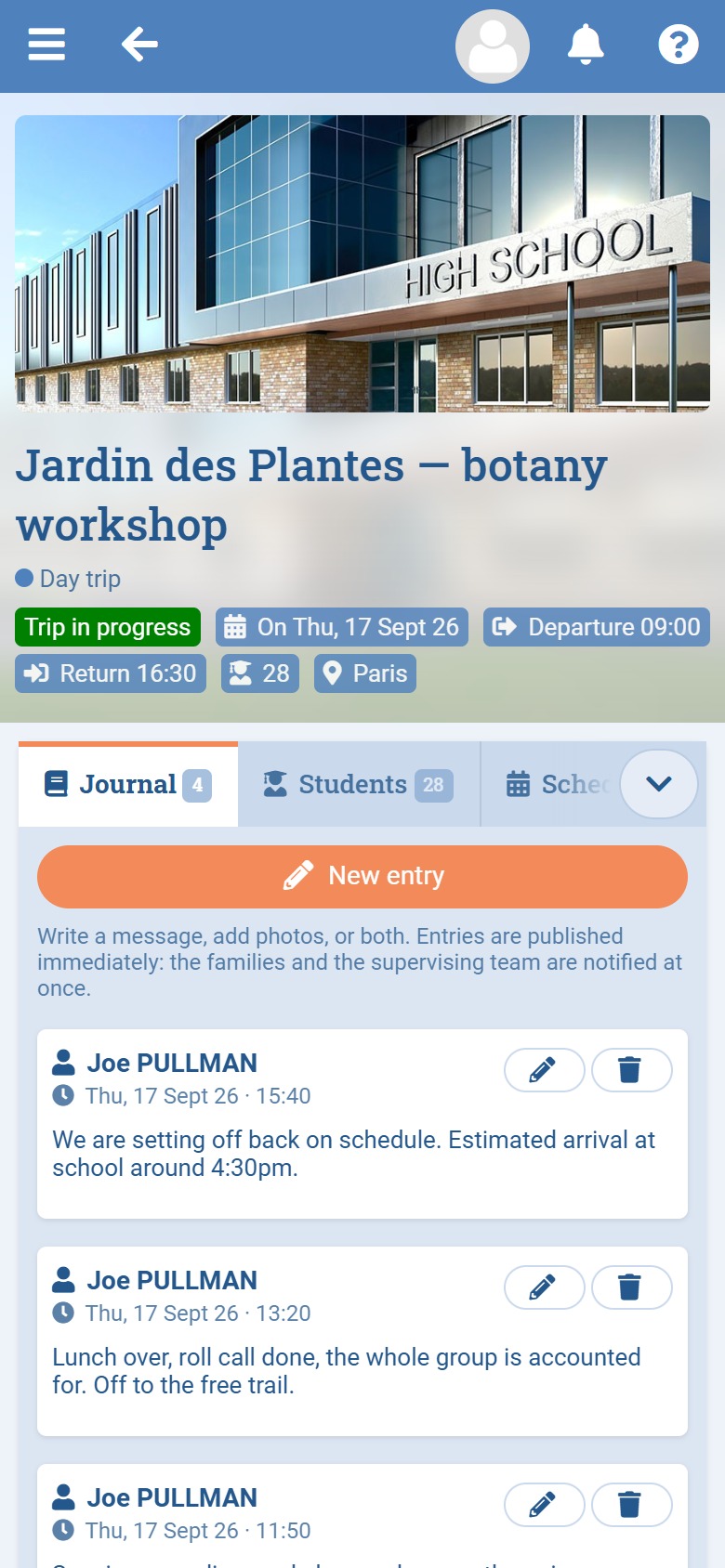
  • Field logbook: chaperones post articles and photos that the relevant families read live during the trip.
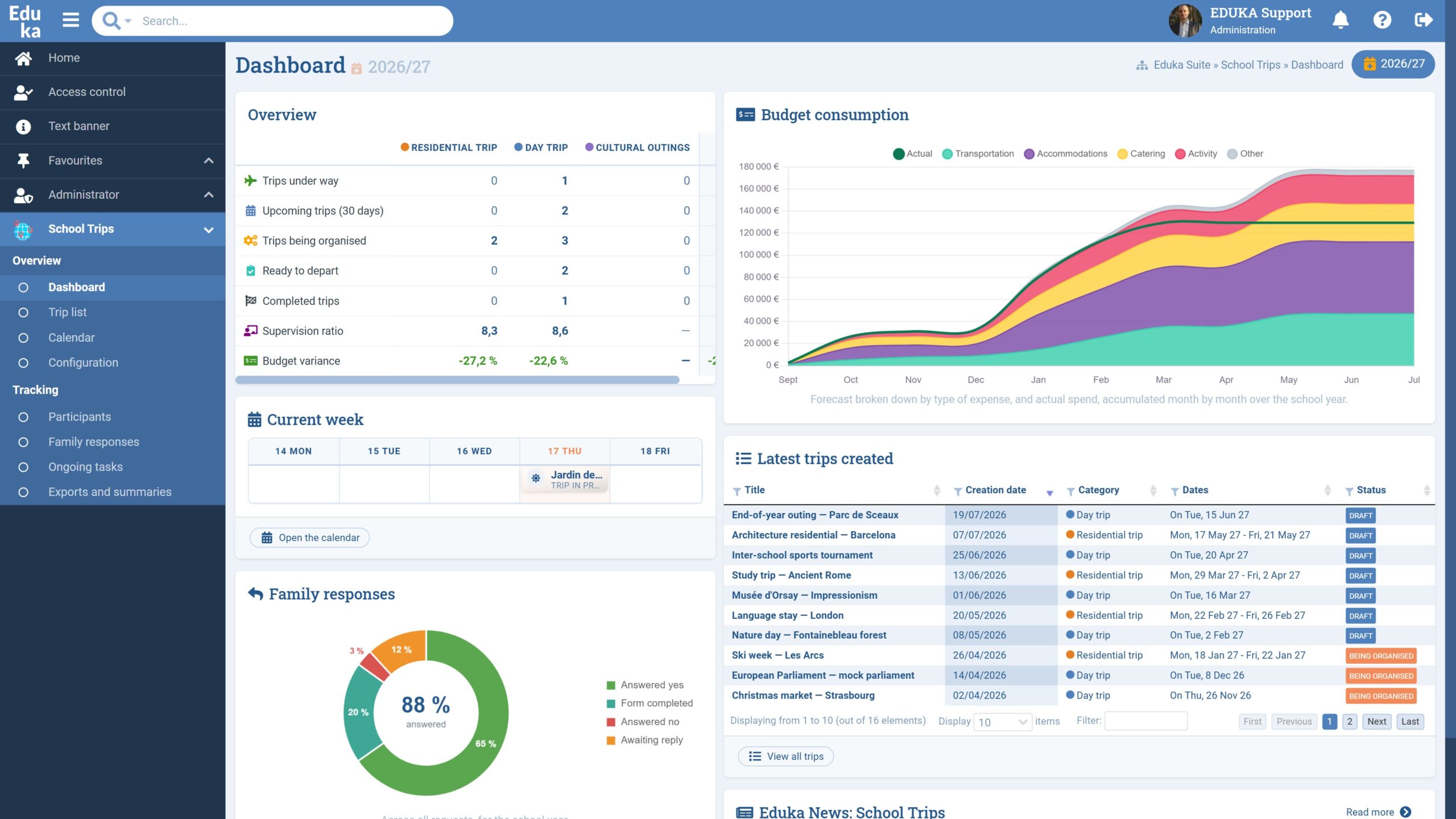
  • Complete oversight: a dashboard of key figures cross-referenced by category, a calendar, and cross-trip views of participants, family responses and pending tasks.
  • Native integration: trips automatically flow through to Attendance, the platform calendar, notifications and Finance billing.

The lifecycle of a trip

  1. Draft: the teacher prepares the trip. Families see nothing and everything remains editable.
  2. In organization: the process unfolds, approvals, family requests and budget, until every block is resolved.
  3. Ready to depart: everything is approved and the trip waits for its day.
  4. Trip in progress: the field portal opens to chaperones, with roll call, logbook and groups.
  5. Closing then closed: actual costs, review and billing. The file remains viewable and exportable.

Every transition is triggered by a user, never by the system alone. A trip can also be cancelled, with the reason kept on record.

Seamless integration with the rest of Eduka

The School Trips Module does not work in isolation:

  • The Attendance module: confirmed participants are automatically marked as on a trip over the exact window defined by the dates and times, without being counted as absent.
  • The school calendar: each trip feeds the general calendar as three events (a banner across the duration, a departure and a return), clickable by staff and families alike.
  • The Finance module: the price billed per student becomes an invoice attached to the student, and the trip sheet permanently shows the billing status and outstanding balance, with a direct link to the invoice.
  • Notifications: bell, email and mobile push at every moment that calls for action (a task assigned, a deadline, a family response, an approval).

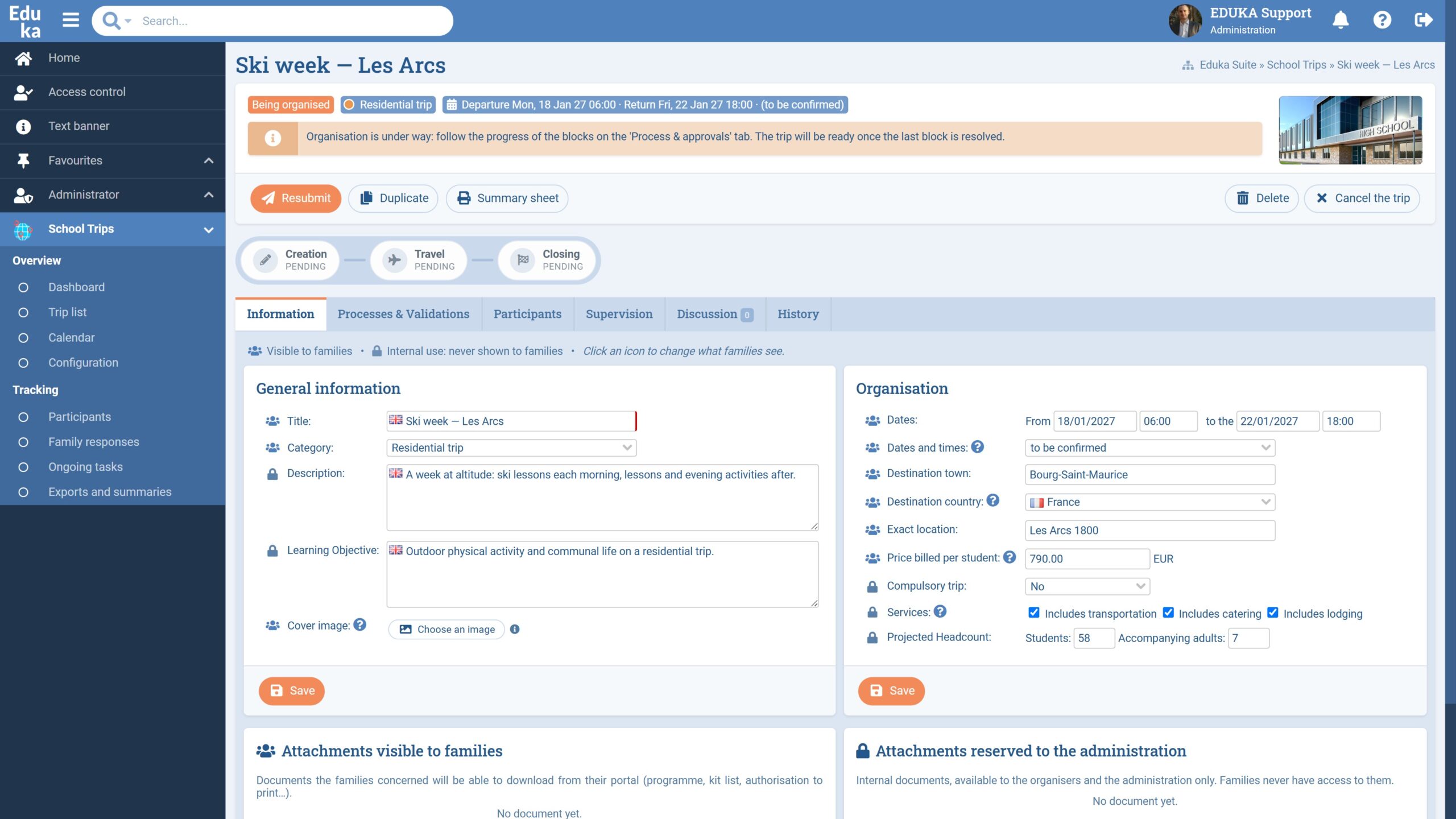
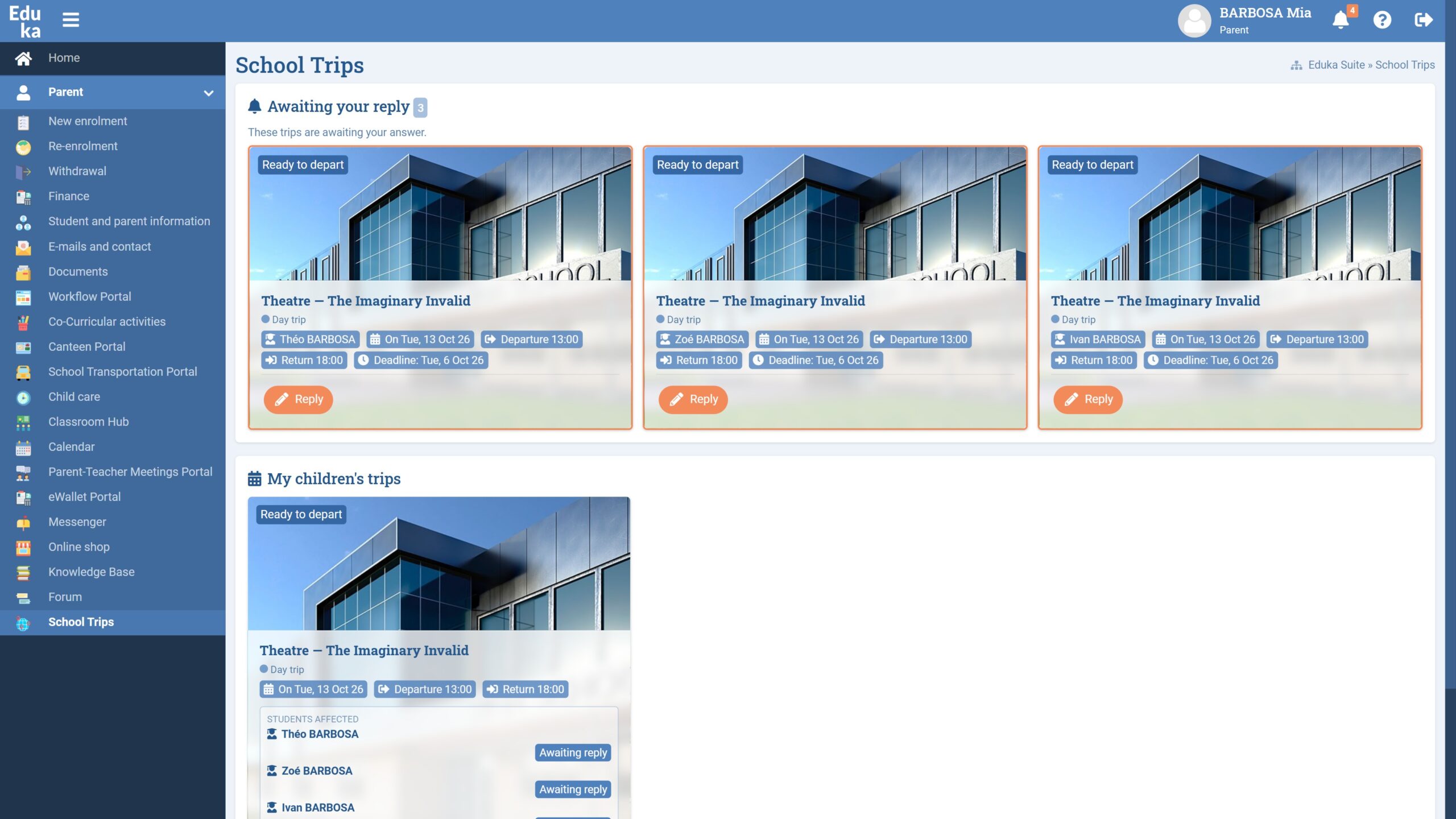
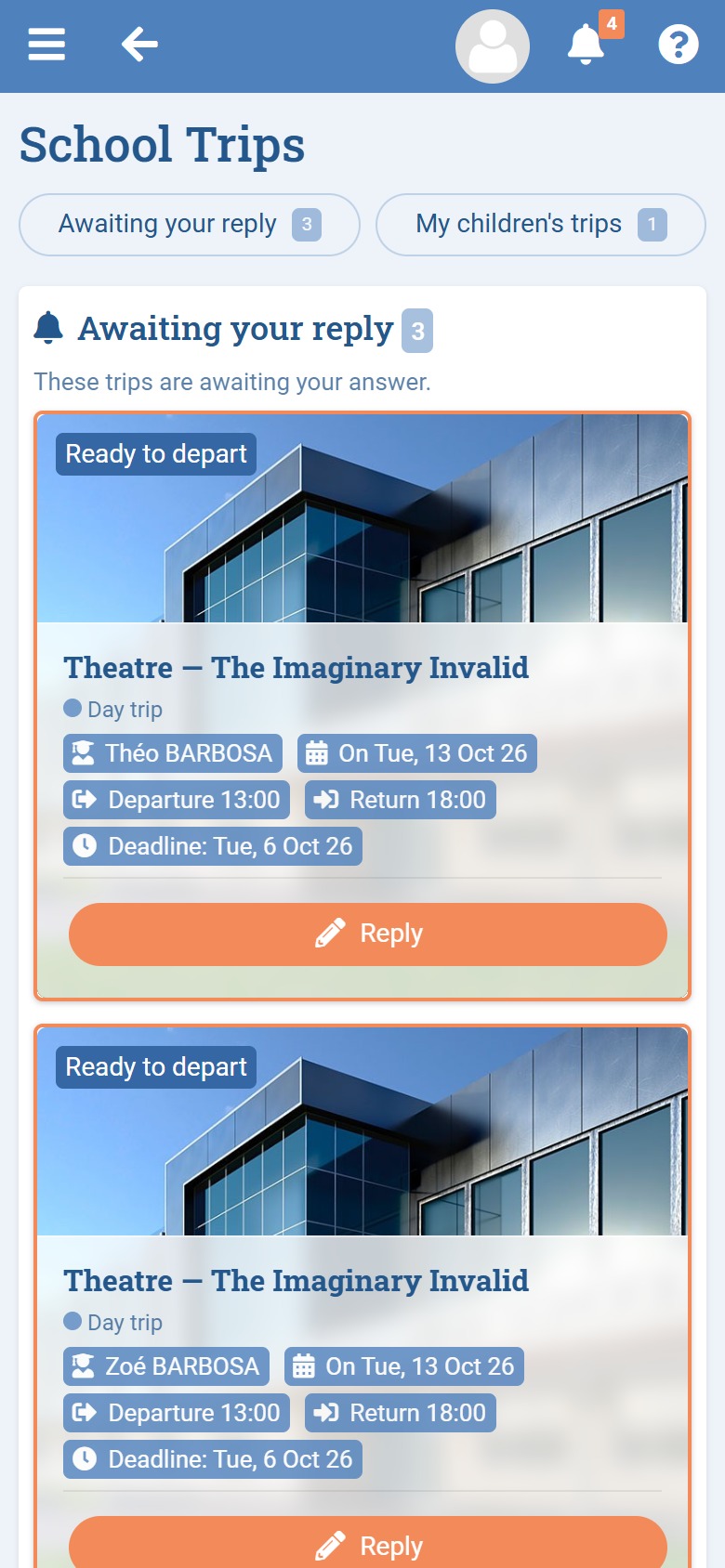
Module screenshots

Features & functionality

Administration

🔧

Module configuration:

  • Trip categories with a translatable label, colour, icon, an “overnight” flag and default field visibility for families
  • Reusable trip templates, created blank or from an existing trip, carrying the process, information, planned budget, services and attachments
  • A library of form templates (health form, waiver, option choices) that can be restricted to specific categories
  • General settings, connection to billing (support fee and invoice template), notifications and automatic reminders

Oversight & follow-up:

  • Dashboard with key figures cross-referenced by category, each counter clickable to open the pre-filtered list
  • Calendar of all the year’s trips, coloured by category and filterable by status
  • Cross-trip participant view (student, class, trip, status, group, family response)
  • Family responses view per request (received, rate, pending, no response, deadline)
  • Pending tasks view for the year, with recipients, deadlines and overdue items flagged

Exports & extractions:

  • Multi-trip Excel exports: participants, responses, trips, budget tracking, billing and payments
  • Summary sheet and sign-in list, generated as printable pages, with no server storage
  • Advanced extraction through the Lists module (trips, student participations, chaperones)

Teachers

🧑‍🏫

Creating a trip:

  • A teacher portal presenting their own trips as illustrated cards, with status and progress
  • Creation from a template, an existing trip or from scratch, depending on the category’s rules
  • Only the label is required; dates can be set later, once the project is scoped
  • Automatic saving as a Draft, with no notification until the trip is submitted

Process & approvals:

  • Configurable blocks and tasks: an approval to give or an action to complete, assigned to named people and/or profiles
  • Deadlines as absolute dates or relative to departure (“D minus n”), recalculated if the dates change
  • Trigger conditions (transport, overseas travel, budget threshold) with an on-screen explanation
  • A dedicated form on a task (quote, booking sheet) and an information pack to hand the right data to a third party

Budget, participants & supervision:

  • Unified planning/budget grid grouped by day, with planned and actual cost per student and per chaperone, billed price and margin
  • Supplier follow-up by type, reusable from one trip to the next
  • Participants targeted by whole classes or added individually, with status evolving as families respond
  • Internal or external supervisors, in a chaperone or delegate-organizer role, with the supervision ratio calculated automatically

Follow-up & communication:

  • Per-student billing column (invoice issued, validated, amount, outstanding balance) with a link to Finance
  • Family requests with a response pie chart and a family-by-family breakdown
  • An internal discussion thread reserved for organizers, plus a timestamped history of every action

Chaperones

📱

Built for the phone, open during the trip:

  • Roll call by group or for the whole trip, with validation, traceable reopening and a printable sign-in list as backup
  • Student sheets available on site: emergency contacts and health information, accessible only during the trip
  • Reassigning a student from one group to another from the field
  • Field logbook: articles and photos published for the relevant families, who can thank an article in one tap
  • Read-only trip itinerary and a discussion thread specific to the field team
  • Secure guest access for external chaperones, with no Eduka account

Parents

👥

Parents portal:

  • The trip appears as an illustrated card, with the information the school has made visible and the attachments intended for families
  • Response to the request: Yes or No with a reason if declined, and a form where applicable
  • The form saves automatically as it is filled in, with conditional fields and file uploads
  • Field logbook follow-up during the trip
  • Automatic reminders in case of no response
  • Access limited to the child’s trip, with no visibility of other trips or other students